
How to Choose Ergonomic Computer Accessories to Prevent Hand Strain Guide
I’ve watched too many brilliant developers, writers, and designers crash and burn by their mid-thirties because of something as stupidly avoidable as a stiff piece of plastic. They ignore the dull ache in their knuckles. They write off the midnight throbbing in their wrists as just “part of the grind.” Trust me on this: it’s not part of the grind. It’s a slow-motion injury, and by the time your nervous system starts screaming at you with full-blown carpal tunnel or tendonitis, you’re already looking at months of physical therapy or worse. Here’s the ugly truth about the $15 plastic flat keyboard that came free with your desktop tower—it was designed for manufacturing cost, not for human anatomy. If you want to keep making a living with your hands, you need to rethink your desk setup from the ground up.

- • The Anatomy of Wrist Destruction: Why Standard Gear Fails
- • Decoding Ergonomic Keyboards: Split, Tent, and Ortholinear
- • The Mouse Trap: Why Traditional Mice Are Wrist Killers
- • Desk Surface Synergy: The Hidden Variable Nobody Talks about
- ↳ How long does it take to get used to an ergonomic split keyboard?
- ↳ Do I really need a vertical mouse, or is a trackball better?
- ↳ Are expensive mechanical ergonomic keyboards worth the price?
- ↳ Can ergonomic accessories completely reverse existing hand strain?
Key Takeaways & Quick Overview
AI Verified
- ✔How to choose ergonomic computer accessories to prevent hand strain guide i’ve watched too many brilliant developers, writers, and designers crash and burn by their mid-thirties because of something as stupidly avoidable as a stiff piece of plastic.
- ✔They ignore the dull ache in their knuckles.
- ✔They write off the midnight throbbing in their wrists as just “part of the grind.
- ✔” trust me on this: it’s not part of the grind.
The Anatomy of Wrist Destruction: Why Standard Gear Fails
Look at your hands right now. Are your palms flat on the desk? Are your wrists bent outward toward your pinkies, or cranked upward at an unnatural angle? If you answered yes, congratulations—you are slowly crushing the median nerve running through your carpal tunnel. Standard keyboards force your forearms into pronation. That’s the anatomical term for twisting your arms so your palms face downward. Try walking around all day with your arms twisted like that. Sounds exhausting, right? Yet we subject our hands to that exact tension for eight, ten, twelve hours a day.
When you start shopping for gear to fix this mess, marketing buzzwords will fly at you from every direction. “Ergonomic” has become a meaningless buzzword slapped onto anything remotely curved. Let’s cut through the noise. To genuinely prevent hand strain, you need to understand three core mechanics: tenting, splitting, and vertical alignment. According to the Mayo Clinic carpal tunnel guide, repetitive wrist extension and unnatural finger positioning are primary catalysts for nerve compression injuries.
Decoding Ergonomic Keyboards: Split, Tent, and Ortholinear
Let’s talk keyboards. The traditional staggered-row layout is a relic of mechanical typewriters from the 1800s. Back then, mechanical arms had to jam past each other without tangling, so designers staggered the keys. Your fingers don’t move in jagged diagonal steps, though. They move in arcs. Using a standard keyboard forces your fingers to reach sideways at weird angles, straining the tendons in your palms.
When selecting a keyboard to prevent hand strain, look for two absolute non-negotiables: **split design and tenting**.
- The Split: A true split keyboard lets you position each half shoulder-width apart. This immediately eliminates the inward rotation of your shoulders and straightens your wrists.
- The Tent: Tenting raises the inner edge of the keyboard halves so your hands rest like a handshake rather than flat on a table. This neutralizes forearm tension entirely.
Don’t fall for the trap of “wave” keyboards that are just curved chunks of solid plastic. They offer a tiny bit of relief, but they still lock your hands into a fixed, rigid width. If your shoulders are broad and the keyboard is narrow, you’re back to square one.
The Mouse Trap: Why Traditional Mice Are Wrist Killers
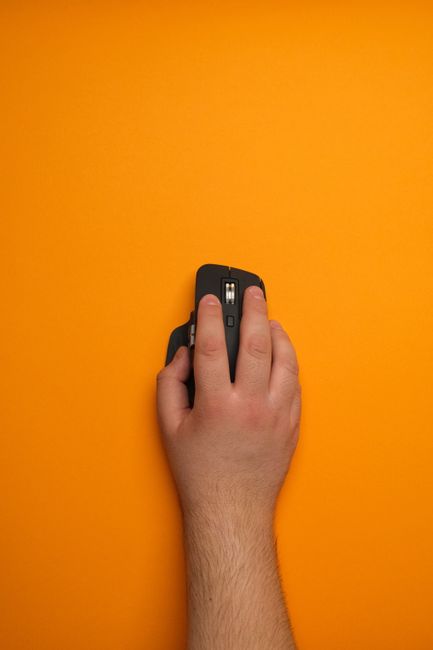
You can buy the best keyboard on the market, but if you slap a flat, low-profile mouse next to it, you’re still courting disaster. Every time you grip a standard mouse, your forearm bones cross over each other. Hold that position for ten hours while clicking thousands of times, and you’ve got a recipe for chronic forearm pronation and repetitive strain injuries.
Enter the vertical mouse. These devices look bizarre—almost like a joystick cut in half. But the moment you wrap your hand around one, your arm relaxes. Your thumb rests in a natural groove, and your pinky and ring finger cascade down the side. You steer the cursor by moving your entire arm from the elbow or shoulder, rather than pivoting from the delicate bones of your wrist. Organizations like OSHA ergonomic guidelines heavily emphasize minimizing pinch grips and wrist deviation for computer operators.
When choosing a vertical mouse, size matters immensely. If your hand is too small for the chassis, you’ll resort to a claw grip, which introduces muscle fatigue right back into your fingers. Look for models with adjustable weights and programmable buttons that reduce the need for repetitive stretching motions.
Desk Surface Synergy: The Hidden Variable Nobody Talks about
Here is a mistake I see over and over again: someone drops $300 on a high-end split ergonomic keyboard and a vertical mouse, then places them on a rock-hard desk edge that digs straight into their forearms. Bam. Circulation cut off. Nerves compressed. You’ve defeated the entire purpose of your gear.
Your accessories don’t live in a vacuum. They interact with your desk height, your chair armrests, and your monitor placement. If your chair is too low, you’ll shrug your shoulders upward to reach the keys, sending shockwaves of tension down into your hands and fingers.
- Adjust your chair first: Your feet should flatly touch the floor, and your elbows should bend at a crisp 90- to 100-degree angle.
- Check your wrist rest usage: Contrary to popular belief, you should never rest your wrists on a hard surface or a cushion while actively typing. Wrist rests are for resting your palms *between* bursts of typing, not anchoring your hands while your fingers fly across the keys. Anchoring restricts movement and forces your fingers to overreach.
Frequently Asked Questions
How long does it take to get used to an ergonomic split keyboard?
Expect a productivity dip for about one to two weeks. Your brain has spent decades muscle-memorizing the standard staggered layout. Start by using the ergonomic keyboard for just one hour a day, then slowly ramp up until you can ditch your old board entirely.
Do I really need a vertical mouse, or is a trackball better?
It depends entirely on your workflow. Vertical mice are phenomenal for general navigation and typing-heavy work because they eliminate forearm twisting. Trackballs are brilliant if you have limited desk space or shoulder mobility issues, as your wrist and arm stay completely stationary while your thumb or fingers spin the ball. Both are massive upgrades over flat mice.
Are expensive mechanical ergonomic keyboards worth the price?
If your livelihood depends on your hands, buying cheap peripherals is like driving a race car on bald tires. High-end ergonomic keyboards use programmable firmware (like QMK/VIA), allowing you to remap keys to layers, which means your fingers never have to stretch for distant keys like Backspace or Enter. That reduction in finger travel adds up to thousands of saved micro-movements every single day.
Can ergonomic accessories completely reverse existing hand strain?
Accessories are preventative and rehabilitative, not magical cures. If you already have severe nerve damage or chronic pain, ergonomic gear will stop you from making things worse, but you must pair your new setup with active stretching, breaks every 30 minutes, and professional medical evaluation.