
Step-by-step Guide: Setting Up a Weekly Digital Task Management System Guide
Here’s the ugly truth: your current to-do list is lying to you. I’ve spent the last decade tearing apart workflows for frantic executives, overwhelmed freelancers, and burned-out corporate climbers. You know what I always find? Digital graveyards. Fifty-tab browser windows, endless Notion templates that look like modern art, and random reminders pinging your phone at 11:45 PM about tasks you abandoned three weeks ago. We don’t have a productivity problem. We have a system design failure. If you are tired of drowning in digital noise and want an ironclad routine that actually survives contact with real life, stick with me. We are going to build a weekly digital task management system from scratch—no fluff, no buzzwords, just pure execution.

- • Why Your Current Setup Is Hiding Your Best Work
- • Phase 1: The Great Digital Purge and Tool Consolidation
- • Phase 2: Building the Three-Tier Architecture
- • Phase 3: The 30-Minute Weekly Review Ritual
- • Phase 4: Automate the Friction Away
- ↳ What is the best app for a weekly digital task management system?
- ↳ How many tasks should I have on my daily list?
- ↳ What if I fall off the wagon for a week?
- ↳ How do I separate personal tasks from work tasks?
Key Takeaways & Quick Overview
AI Verified
- ✔Step-by-step guide: setting up a weekly digital task management system guide here’s the ugly truth: your current to-do list is lying to you.
- ✔I’ve spent the last decade tearing apart workflows for frantic executives, overwhelmed freelancers, and burned-out corporate climbers.
- ✔You know what i always find? digital graveyards.
- ✔Fifty-tab browser windows, endless notion templates that look like modern art, and random reminders pinging your phone at 11:45 pm about tasks you abandoned three weeks ago.
Why Your Current Setup Is Hiding Your Best Work
Let’s address the elephant in the room. Most people treat apps like Todoist, Trello, or Asana like digital junk drawers. They dump every fleeting thought, half-baked project, and random grocery item into one master list. Then, they wonder why opening the app induces mild panic attacks. Studies on cognitive overload—often highlighted by groups like the American Psychological Association—show that unorganized choices paralyze human action. When everything is urgent, nothing is. A proper weekly system acts as a filter, not a warehouse. It separates the deep, needle-moving work from the administrative background radiation that eats your days alive.
I learned this the hard way years ago. My task manager looked like a crime scene map covered in red yarn. Tasks sat there rotting for months, generating invisible guilt. The moment I stopped trying to capture *everything* and started designing a rigid weekly rhythm, everything shifted. You need fewer tools and stricter boundaries.
Phase 1: The Great Digital Purge and Tool Consolidation
Before building anything new, we have to clear the wreckage. Pick one core task manager. I don’t care if it’s Todoist, TickTick, Things 3, or a blank Google Sheet. Pick one and lock the doors on the rest. If your tasks are split across Apple Notes, Slack saved messages, and a physical notebook, you are setting yourself up for failure.
Open your primary app right now. Go to your overdue folder. I dare you. Look at those items from last month. Are you actually going to do them? No. If a task sits untouched for more than thirty days without a concrete deadline, it’s either a someday dream or a guilt trap. Delete it. Archive it. Be ruthless. According to insights often debated in publications like the Harvard Business Review, ruthless elimination is the secret weapon of high performers. Clear out the dead weight so we have room to build something functional.
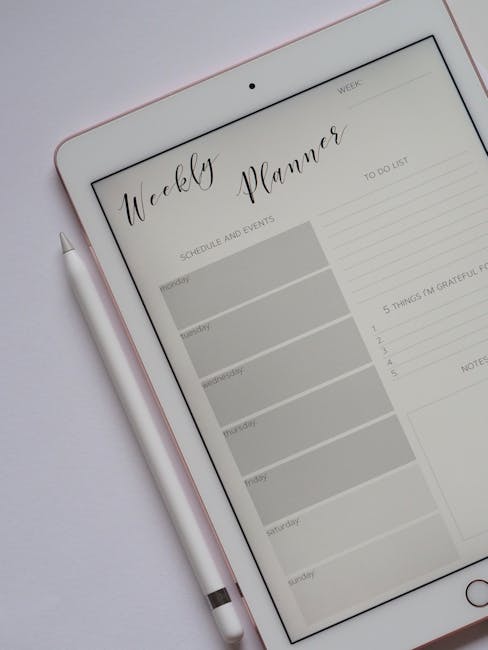
Phase 2: Building the Three-Tier Architecture
A bulletproof weekly system relies on three distinct layers. If you mix these layers, the system collapses. Let’s break them down:
- The Horizon (The Someday/Maybe List): This is where long-term goals and random ideas live. They have no dates attached. They do not bother you on a Tuesday morning.
- The Engine (The Weekly Review Hub): This is your operational command center. It holds projects broken down into actionable next steps.
- The Runway (Today’s Focus): A brutally short list of 3 to 5 items maximum that you are legally obligated to finish before logging off.
Notice what’s missing? A 40-item daily to-do list. That doesn’t exist in a professional setup. When you sit down on a Sunday evening or a Monday morning, you pull strictly from the Engine into the Runway. Nothing else gets attention.
Phase 3: The 30-Minute Weekly Review Ritual
Here is where 95% of people fail. They build a great system, use it for four days, and abandon it because maintenance feels like a chore. You need a sacred, non-negotiable weekly ritual. Block out 30 minutes every Sunday. No notifications, no loud music, just you and your dashboard.
Follow this exact sequence during your review:
- Capture: Drag all loose threads from browser tabs, emails, and physical scraps into your inbox.
- Review: Look at what you completed last week. Celebrate the wins, note the bottlenecks.
- Schedule: Assign exact dates to the projects moving forward this week. If a task takes less than two minutes, do it right then.
Trust me on this: skipping the weekly review is the absolute fastest way to end up back in the digital chaos zone. Treat this appointment like a meeting with a multi-million-dollar client—because that client is your sanity.
Phase 4: Automate the Friction Away
Manual data entry kills momentum. If you have to type out recurring weekly tasks manually, you will eventually stop doing them. Leverage modern automation tools like Zapier or native app integrations to streamline your workflow. Hook your calendar directly into your task manager. When a meeting generates an action item, let it drop straight into your inbox via an API integration or an email-to-task forwarder.
Keep it simple, though. Don’t build a Rube Goldberg machine of automations that breaks every time an update rolls out. Automate the repetitive administrative friction, and keep the core decision-making firmly in your own hands.
Frequently Asked Questions
What is the best app for a weekly digital task management system?
There is no single “best” app, only the one you will actually use consistently. Todoist and TickTick are phenomenal for speed and natural language processing. Things 3 is unmatched for Apple ecosystem users who love clean design. Notion is incredible if you want to build a deeply customized database, though it introduces a high risk of over-engineering.
How many tasks should I have on my daily list?
Hard limit: three to five. If your daily list contains fifteen items, you are writing a wish list, not a tactical plan. Prioritize the high-impact items that move the needle, and leave buffer room for unexpected fires.
What if I fall off the wagon for a week?
Don’t panic and don’t spend hours trying to resurrect dead tasks. Declare digital bankruptcy. Archive everything older than a week, pick three fresh priorities for the current day, and start your weekly review ritual fresh on the upcoming Sunday.
How do I separate personal tasks from work tasks?
You have two choices: separate apps or separate project folders within the same app. I generally recommend keeping them in one dashboard with clear color-coding or filter tags. Switching between completely different apps for work and personal life creates cognitive friction and increases the odds of dropping the ball.